
How to Install Casualties: Unknown Mods on Version 1.0
Install Casualties: Unknown mods with the required loader, correct Steam folder and package layout; separate ordinary plugins from Casualties Together.
Quick answer
Select a mod package matching your game edition, install its required loader in the game root, then follow its file layout. Initialize BepInEx after installing it for ordinary plugins. Casualties Together requires its complete mod-folder contents in the game root, rather than a single DLL copied into plugins.
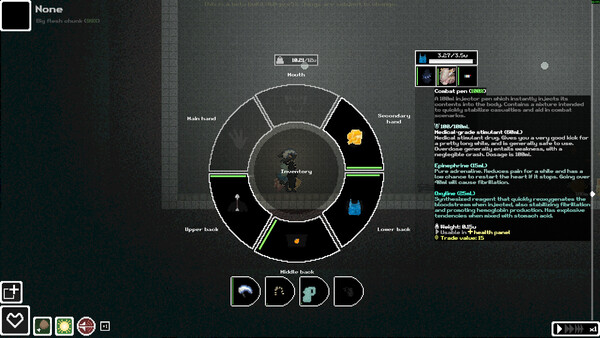
This is a community procedure, not an official one
Match the mod's target game build, loader and archive instructions before copying files. For Casualties Together, the author's v5.5.0 notes target full-game v1.0 and retain a limited-testing warning. Other plugins need their own compatibility statement; this package's support does not establish theirs. See the author's releases.
Get to the right folder
In Steam, open Library → Casualties: Unknown → Manage → Browse local files. Confirm that you opened the intended full game or demo installation. The game root is the directory beside its executable, where the documented loader is extracted. Sources: the installation guide and author README.
Which loader and package should I use?
The archived Casualties Together README links BepInEx Windows x64 5.4.23.5, and the full-game setup guide names the same dependency. Its v5.5.0 full-game package is MPMod_5.5.0_fullgame1.0_bepinex5.4.23.5.zip. This is a documented requirement for that package, not a universal loader choice for every mod. Sources: README and full-game setup.
Two downloads, then loader initialization
For an ordinary BepInEx plugin, use this documented Windows workflow:
- Download the loader required by that plugin and the plugin itself.
- Extract the loader into the game root beside the executable.
- Launch the game after installing the loader, then close it so its folders can initialize.
- Check that the expected loader directories exist before placing the plugin.
An unmodified launch before BepInEx is installed cannot perform this initialization. The install-then-launch sequence is described in the Windows demo installation guide; retain that version context when using it for another package.
Place the files
| Package type | Documented destination |
|---|---|
| Ordinary plugin DLL | Usually BepInEx/plugins, with its required resources and dependencies |
| Casualties Together | Complete contents of the archive's mod folder into the game root |
For Casualties Together, open the archive's mod folder and copy its contents, rather than putting the outer folder into plugins or extracting only one DLL. Preserve the package layout. The author README and installation guide distinguish this from ordinary plugin placement.
How do I check the installation?
Launch Casualties Together through Steam and look for multiplayer-related buttons in the main menu. If they are absent, compare the chosen loader, extraction destination and complete mod-folder contents with the package instructions. For ordinary plugins, use that author's stated startup check; multiplayer buttons are specific to the co-op package. See the README and setup troubleshooting.
Before you try co-op
The archived guide separates the full-game v5.5.0 package from a demo v7.0.1 package. The author's older v5.4.0 full-game notes explicitly describe an unfinished port, so an old tutorial is not sufficient reason to select it for release 1.0. Continue to multiplayer setup for co-op version support and character readiness. Sources: package comparison and author releases.
What is not verified
No installation was performed for this guide. General loader initialization comes from a Windows demo workflow; the archived README also still links the demo, while v5.5.0 release notes establish the full-game target separately. Compatibility of additional plugins or later game patches remains package-specific.
Sources and verification
- Casualties: Unknown · www.casualtiesunknown.site · Checked 2026-11-12
- Casualties: Unknown · github.com · Checked 2026-11-12
- Casualties: Unknown · github.com · Checked 2026-11-12
- Casualties: Unknown · tposegaming.com · Checked 2026-11-12
- Casualties: Unknown · www.youtube.com · Checked 2026-11-12
- Casualties: Unknown · docs.bepinex.dev · Checked 2026-11-12
- Casualties: Unknown · guidewiki.gg · Checked 2026-11-11
- Casualties: Unknown · www.youtube.com · Checked 2026-11-12
Continue reading
All guides →
Home
Find your next Casualties: Unknown guide: start with training, then explore focused help for injuries, crafting, saves, co-op and the full release.
Read guide
Beginner Guide
Start Casualties: Unknown with release-confirmed controls, training, a container and dressings, then learn nearby-item crafting and how to protect tools.
Read guide
Multiplayer
Check Casualties: Unknown co-op support, the compatible Casualties Together package and its character-readiness flow, with installation and testing limits.
Read guide
Bleeding
Treat Casualties: Unknown internal bleeding with procoagulant or a chest-applied L.R.D.; check serum requirements, Helluce risks and breathing problems.
Read guide
Injuries
Remove Casualties: Unknown shrapnel, wrap bleeding limbs, treat infection and use the manual defibrillator with release-confirmed controls and limits.
Read guide
Saving
Save Casualties: Unknown at layer transitions, resume at the next layer and understand why death erases progress; learn sleep controls and wound risks.
Read guide
Rope & Tools
Use this Casualties: Unknown reference for rope, foliage bags, scrap sources and climbing tools, with demo recipes and battery-interface limits clearly marked.
Read guide
Survival
Boil groundwater in Casualties: Unknown using the documented canteen and campfire workflow, with light-source requirements and water-label warnings explained.
Read guide
Layers & Endings
Check Casualties: Unknown layer counts, the full-game boundary and character unlock order, with confirmed ending counts separated from unverified route details.
Read guide
Release & Price
Check Casualties: Unknown release date, developer, publisher and archived Steam US launch price, with the announced unlock time and offer deadline.
Read guide